One place to manage the schedules, people, operations, and daily work of your athletic department.
AthleticDesk gives high school athletic directors a centralized platform for scheduling, results, staffing, practices, operations, and communication.
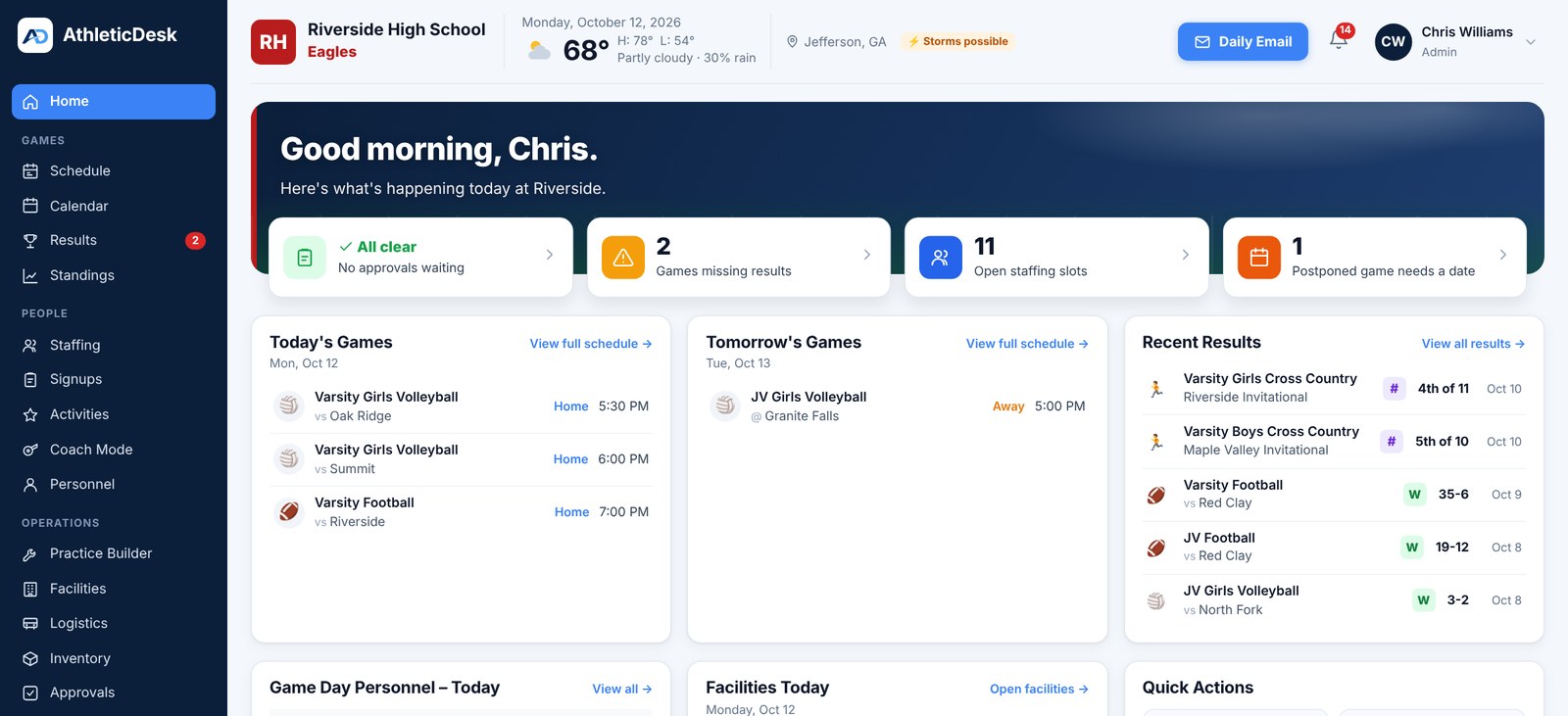
Six areas of daily work, one system.
Add games manually, import from MaxPreps or CSV, manage multiple teams and levels, and publish schedules for your community.
Connect your school's Google account and publish athletic events directly to Google Calendar. AthleticDesk intelligently synchronizes schedule changes.
Record scores and results across sports, including traditional games, volleyball sets, tournaments, track, cross country, wrestling, cancellations and postponements.
Organize game-day staffing, duties, personnel, approvals and other athletic department operations in one place.
Build practice schedules and coordinate teams, spaces and athletic facilities.
Give families and fans a clean public schedule without requiring an AthleticDesk account.
Here are a few of the tools you'll use in AthleticDesk.
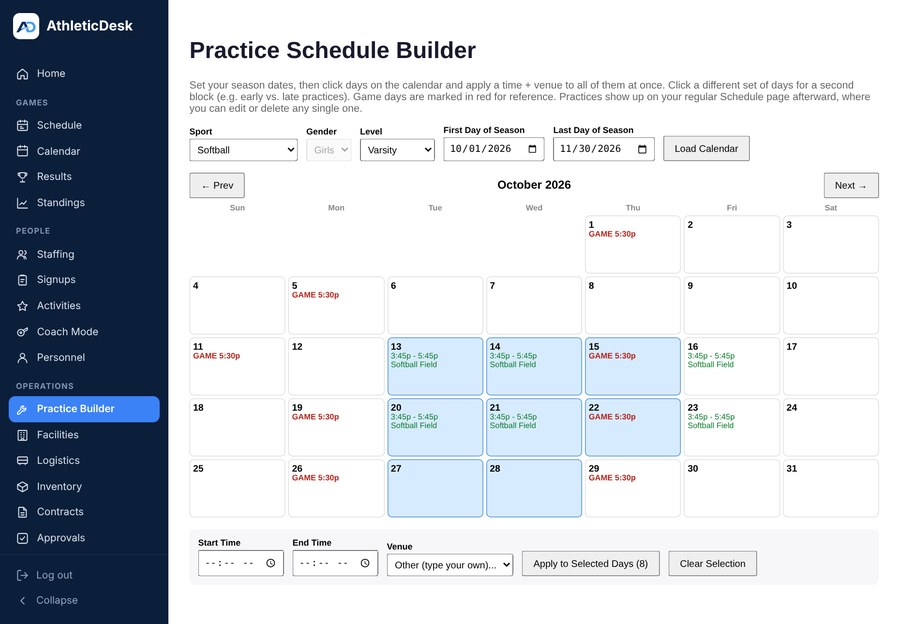
Select multiple days and apply a time and venue to build an entire practice schedule in seconds.
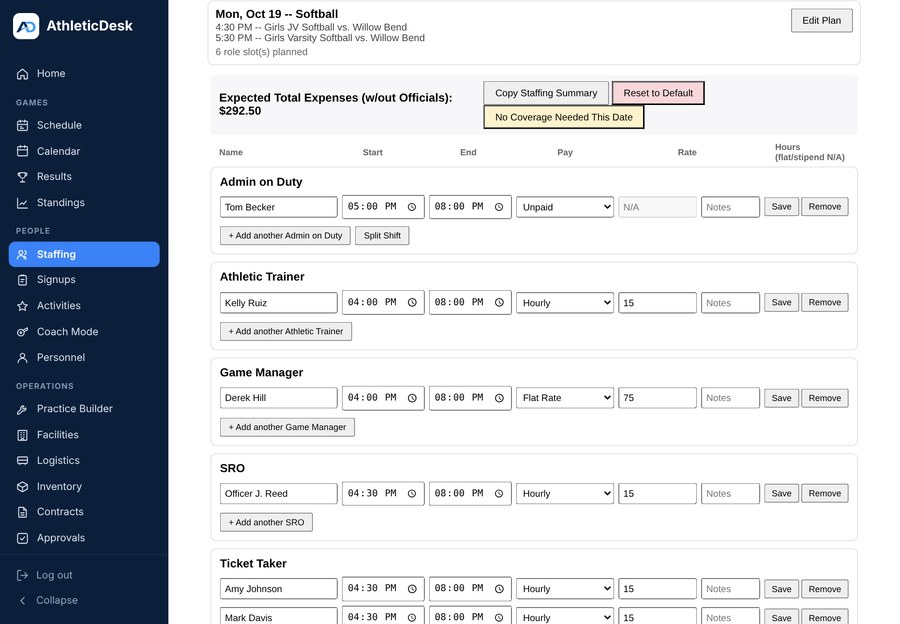
Build staffing plans, assign roles, and generate multi-day summaries for easy communication.
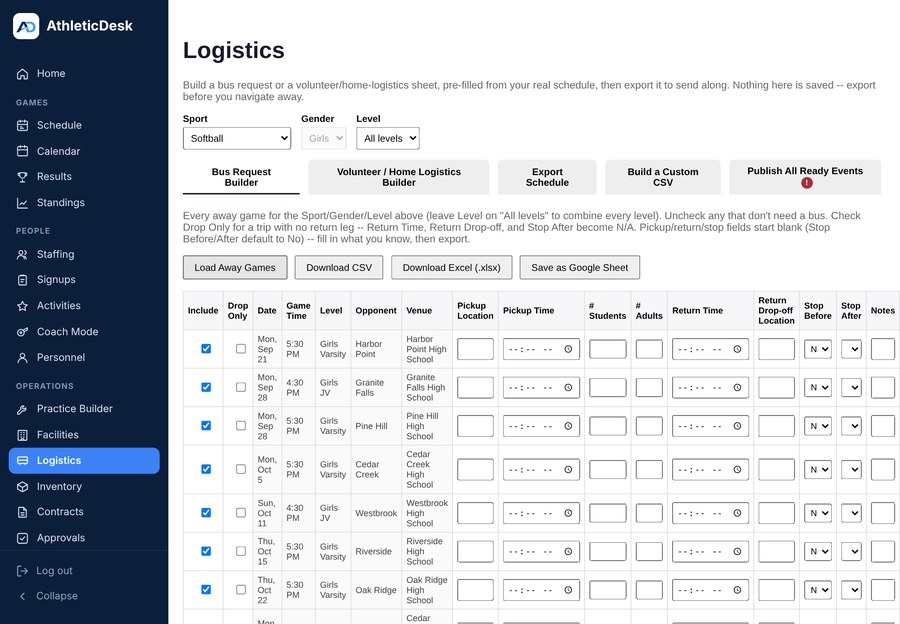
Create bus requests and volunteer/home logistics sheets directly from your schedule.
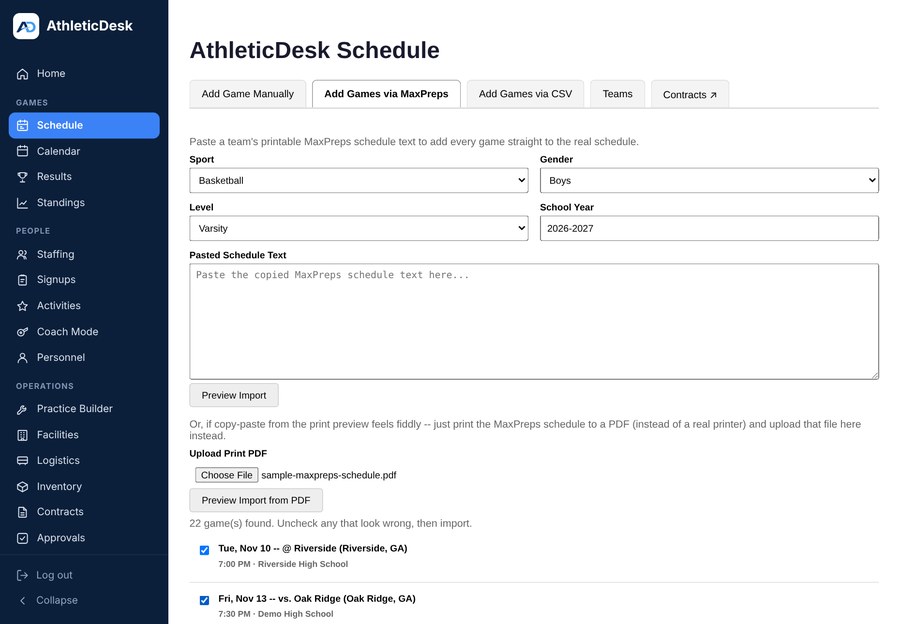
Easily import an entire season from MaxPreps or upload a CSV file.
Get up and running in four simple steps.
Add sports, teams, levels, coaches and facilities.
→Enter contests manually, upload a season, or import from MaxPreps.
→Authorize AthleticDesk to publish and maintain your athletic schedules.
→Manage results, practices, staffing, approvals, operations and communication from one system.
AthleticDesk allows authorized school users to connect their Google account so athletic schedules can be published and synchronized with Google Calendar. AthleticDesk requests only the Google permissions necessary to provide enabled Google-connected features.
Learn about Google data & privacy →
Your Athletic Department Lives Here.
Sign in with Google Sign in with Microsoft